



 Github Stars:
 Last Commit:
  Created:


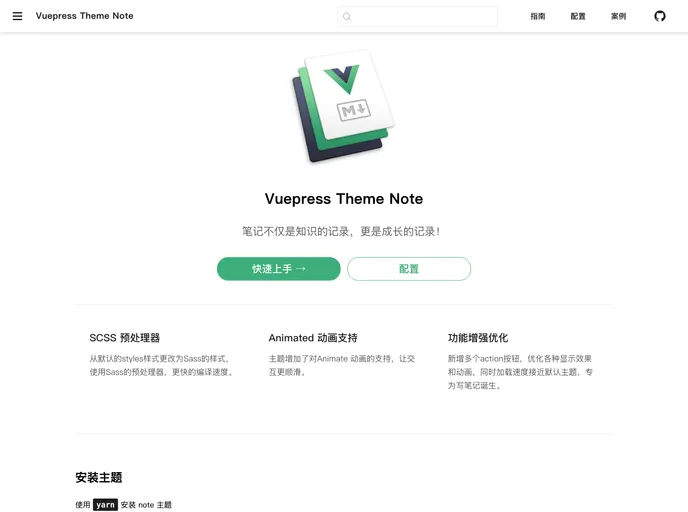
Overview:
The vuepress-theme-note is a theme for Vuepress that is specifically designed for creating notes. It provides a simple and clean interface for organizing and presenting information.
Features:
- Customizable: The theme allows users to customize the appearance of their notes by modifying the configuration file.
- Markdown Support: Users can write their notes in Markdown format, enabling them to easily add formatting and structure to their content.
- Table of Contents: The theme automatically generates a table of contents based on the headings in the notes, making it easy to navigate through the content.
Installation:
To install the vuepress-theme-note, you can use either npm or yarn. Here are the steps to install the theme:
- Open your terminal and navigate to your project directory.
- Install the theme using npm:
npm install vuepress-theme-note
Alternatively, you can use yarn:
yarn add vuepress-theme-note
Configuration:
After installing the theme, you need to configure it in the Vuepress config file. Here’s how you can do it:
- Open the
config.jsfile located in yourdocs/.vuepress/directory. - Add the following code to the
configsection:
module.exports = {
  theme: 'note'
}
- Save the file and close it.
Preview:
To preview your notes with the vuepress-theme-note, follow these steps:
- Run the following command in your terminal from the root of your project:
vuepress dev docs
- Open
http://localhost:8080in your browser. - You should now see a preview of your notes using the vuepress-theme-note.
Summary:
The vuepress-theme-note is a customizable and easy-to-use theme for Vuepress that is specifically designed for creating notes. With features like Markdown support and automatic table of contents generation, it provides a convenient solution for organizing and presenting information.