


 Github Stars:
 Last Commit:
  Created: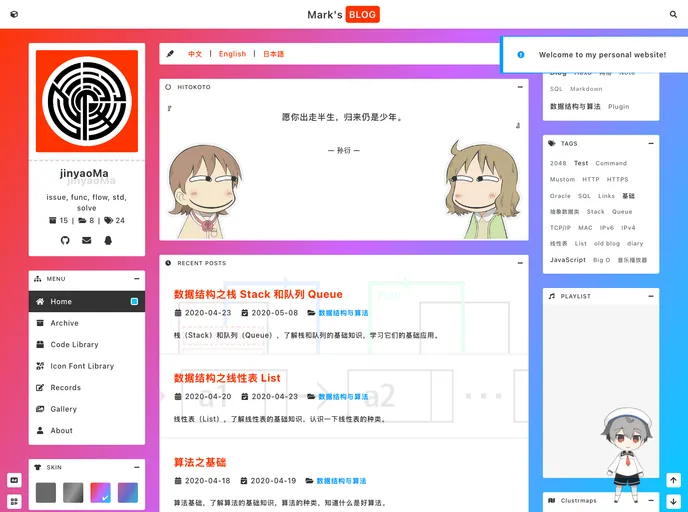
Overview:
This content is a product analysis of a theme called “VuePress Theme Mustom”. It provides information on the installation and configuration of the theme, as well as explanations of various attributes and features of the theme.
Features:
- Simple Design: The theme has a simple and clean design.
- Language Support: The theme supports multiple languages, including Chinese and English.
- Customizable Backgrounds: Users can add custom background images to the site under the skin-default theme. Multiple images can be used in a slide show format.
- Social Sharing: The theme provides social sharing functionality, allowing users to easily share content on social media platforms.
- Notifications: Users can display multiple notifications on start-up, with messages in different languages.
- QR Codes: The theme supports displaying QR codes, with support for different languages.
- Headers: Users can customize the site name and headers in different languages.
Installation:
To install the VuePress Theme Mustom, follow these steps:
Create a folder with the desired structure.
Run one of the following commands in the new folder to install VuePress and the theme:
Using npm:
npm install vuepress vuepress-theme-mustomManually download and extract the theme source code to the new folder of your site.
Set the
themeattribute ofconfig.jsto"mustom".
Summary:
The VuePress Theme Mustom is a simple and customizable theme for VuePress. It supports multiple languages, custom backgrounds, social sharing, notifications, QR codes, and customizable headers. The theme can be installed by creating a folder and running the appropriate installation commands. Overall, it offers a user-friendly design and various features to enhance the user’s website.